

Reference

krkriya App: Play From Any Device

krkriya runs fully in your mobile browser — no download required to reach live casino tables, slots like Gates of Olympus, or cricket betting markets.

mobile browser readyAndroid and iOS accessavailability by regionaccount wallet supportno forced download
krkriya krkriya App: Play From Any Device
DEVICE COMPATIBILITY

Supported Devices and Browsers

Most phones released in the last four years handle the krkriya mobile lobby without issues. The checklist below covers what to verify if something does not load as expected.

Method Payout time Speed
Browser version Chrome 90 or above on Android; Safari 14 or above on iOS. Older browser versions may not render live table streams correctly — check your browser's update status first. Fast
Screen layout The lobby is optimised for screens from 360px wide upward. Landscape mode works for live tables; portrait is the default for slots and the sportsbook betslip. Fast
Account requirements A verified krkriya account is required before any game loads. Complete your account verification — including wallet linkage for bKash, Nagad or Rocket — before your first mobile session. Medium
Currently supported devices Check the Help section of your account for the current device compatibility list. Supported models are updated as the mobile build is tested on new hardware. Medium
Connection quality Live casino streams need a stable connection. A 4G or Wi-Fi signal is enough; the offline lobby preview handles brief drops, but a live table will pause on a very weak signal. Slow
APP FEATURE SET

Key Features on Mobile

These are the functional differences the mobile build adds over a desktop session — each one built around how Bangladesh players actually use their phones.

Fingerprint Login Sign in with biometric authentication on supported Android and iOS devices. No password typing — your account opens in one touch when the feature is enabled in settings.
Push Notifications Opt in to alerts for live table openings and sportsbook events you follow. Notifications arrive even when the browser tab is closed, so you never miss a session start.
Dark Mode Display The lobby switches to a dark colour scheme automatically when your device is in dark mode. Easier on the eyes during late-night sessions without adjusting anything manually.
Offline Lobby Preview Game thumbnails and category tiles cache locally so the lobby structure loads even on a slow connection. Tap a game to stream it once your signal is stable.
krkriya Inside the krkriya Mobile Experience

Inside the krkriya Mobile Experience

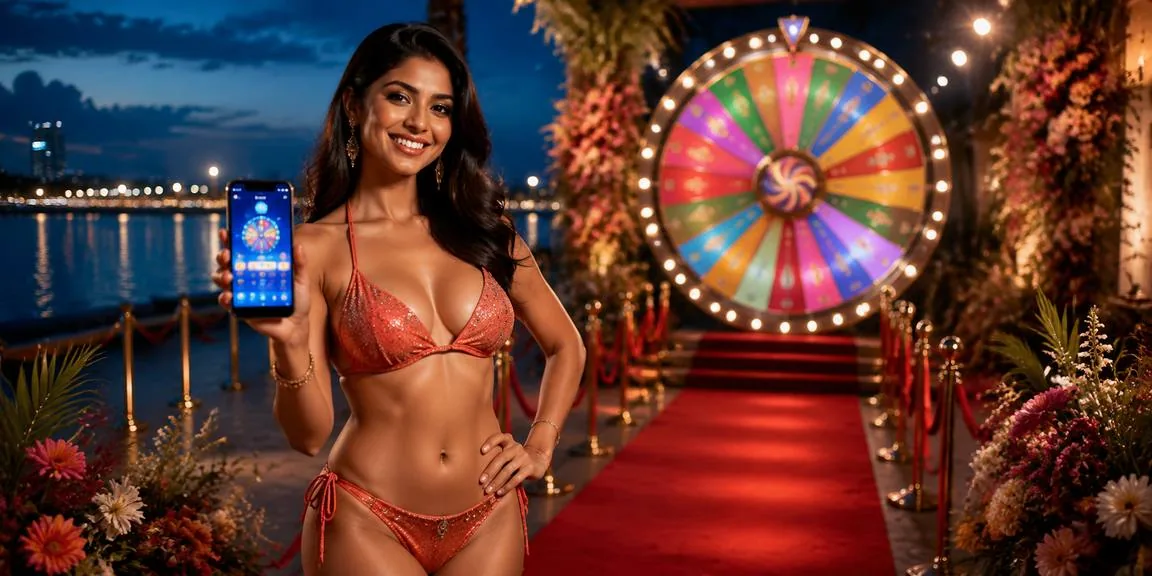
Open krkriya in Chrome or Safari on your phone and the full lobby is right there — live baccarat tables, crash games like Crash Thunder, and the sportsbook with cricket markets including BPL and international fixtures. The mobile build keeps your account wallet front and centre so your bKash or Nagad balance is visible before you pick a table. Push notifications let

you know when a live session you follow goes live. Quick deposit taps straight into your Nagad or Rocket flow without leaving the page. Fingerprint login cuts the sign-in step to under two seconds on supported devices.
krkriya Mobile Access in 3 Steps

Mobile Access in 3 Steps

Getting into the krkriya lobby on your phone takes about a minute. There is no APK to sideload and no app store listing to hunt for — the site itself is the app. Players in Dhaka and elsewhere in Bangladesh reach the lobby the same way: open a browser, go to the site, and sign in. Chrome on Android and Safari on

iOS both work without any extra configuration. If you want the lobby one tap from your home screen, use your browser's 'Add to Home Screen' option after you sign in — it behaves like a shortcut to your account.

  • Open the current site — Type the krkriya address into Chrome or Safari. The mobile layout loads automatically — no desktop mode needed.
  • Check browser compatibility — The lobby works on Chrome 90 and above and Safari 14 and above. If a game does not load, a quick browser update usually fixes it.
  • Sign in securely — Enter your account credentials or use fingerprint login if you have set it up. An OTP may be sent to your registered number as a second verification step.
  • Add to home screen — Use your browser menu to add the site as a home screen shortcut. It opens directly to your account lobby without typing the address each time.

krkriya App — Common Questions

Answers to what people ask most about accessing krkriya on mobile.

There is no separate store listing right now. The mobile site works as your app — open it in Chrome or Safari and add it to your home screen for one-tap access.

Yes, on devices where biometric authentication is enabled. Turn it on in your account security settings after your first sign-in and it will be available on subsequent visits.

Yes. The deposit flow in the mobile lobby connects directly to your bKash or Nagad account. Tap Deposit, choose your wallet, and confirm with your PIN in the wallet app.

Slots like Gates of Olympus, live tables including Baccarat Grand and Live Cricket Spot, and crash games like Crash Thunder all run in the mobile browser on supported devices.

Check your browser version first — Chrome 90 or Safari 14 and above is required. A weak signal can also interrupt streams; switching to Wi-Fi or 4G usually resolves it.

Access depends on your local law and eligible regions. Where available, the mobile lobby is accessible from any Bangladesh location with a compatible browser and a verified account.
Reference

krkriya App

Service availability depends on eligible regions and local law. Users should check local rules before opening an account.

Access may be available only where local law permits.